
Connect your Facebook account
Connect an account that administers your Pages and check its actual connection state.
Before you start
An active account entitlement and permission to manage the Facebook Page.
Add the account
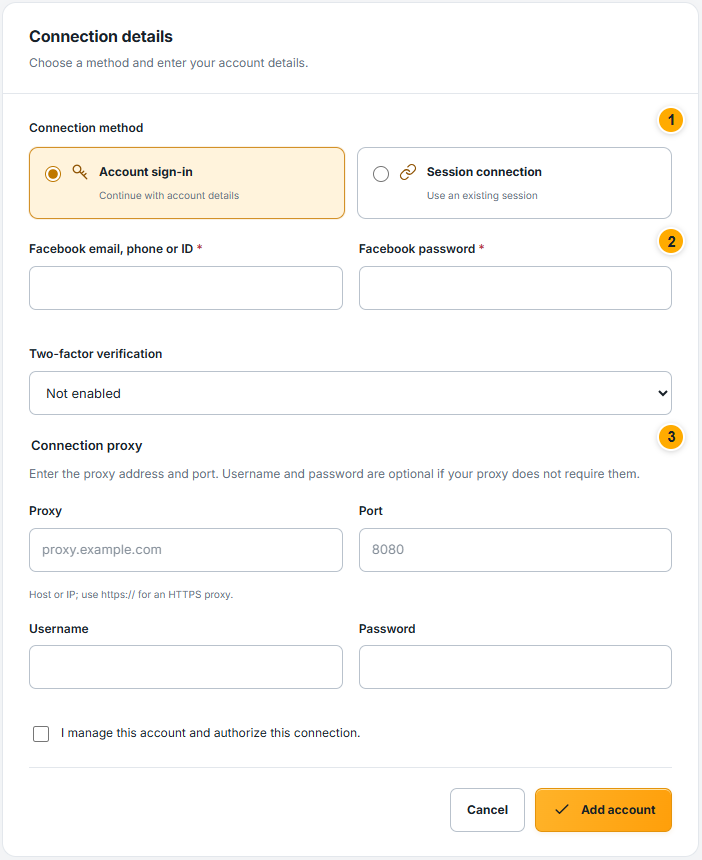 Screenshot from a demo account · Open full size
- 1
Open Facebook accounts and select Add account. Choose the connection method offered by the form.
- 2
Enter only the requested login or session details in this secure form. Complete verification fields only when they apply to your account; never paste these values into support or chat.
- 3
If the form requires a proxy, provide a valid proxy and its required authentication. Submit once and follow the resulting account status.
Expected result
The account is saved and its connection process can be followed from its details. Saved does not necessarily mean Connected yet.
Check the account and linked Pages
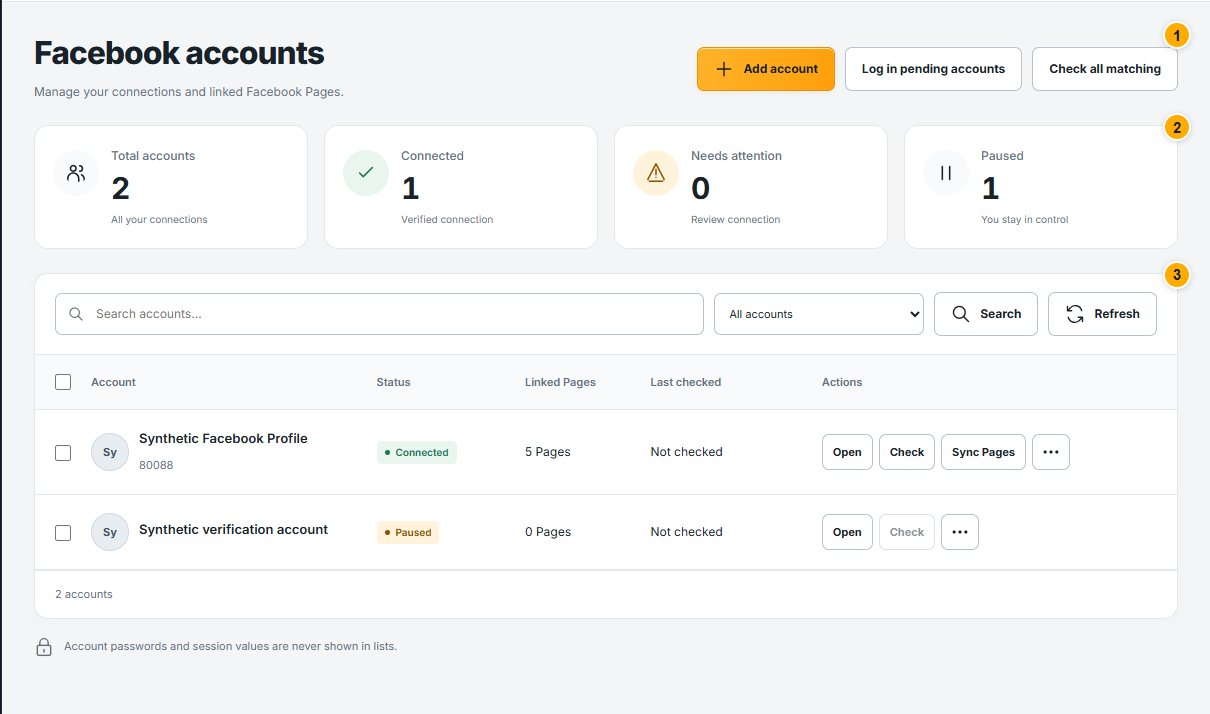 Screenshot from a demo account · Open full size
- 1
Find the account by its name. Read the status badge; open its details to see the most recent check and available recovery action.
- 2
If login or verification is required, complete the supported step shown for that account. Avoid adding duplicate copies to solve a connection problem.
- 3
Use Sync Pages when the connection is ready, then open Facebook Pages to review what was linked.
Expected result
The account shows a usable connection and its managed Pages appear.
Something not working as expected?
- The account already exists? Open the saved account and update its connection; importing it again does not replace existing login details.
- Verification or proxy error? Correct the specific field indicated on the page. If you contact support, share the visible error and account display name only.