
Review Pages and administrators
Identify the correct Page and the accounts available to manage it.
Before you start
At least one connected Facebook account with Page access.
Find the right Page
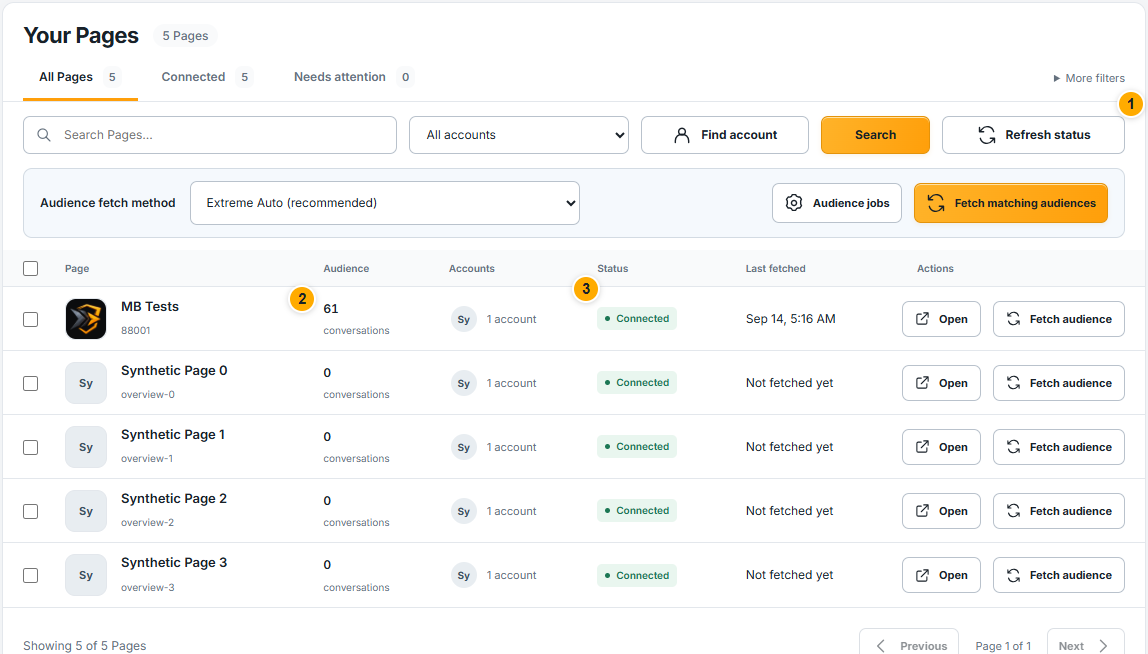 Screenshot from a demo account · Open full size
- 1
Open Facebook Pages. Use the Page search and account filter together if you manage several accounts.
- 2
Match the Page name, picture and ID. Pages with similar names can belong to different businesses.
- 3
Review the connection badge and administrator count. Open the administrator list to see the linked accounts; multiple administrators still represent the same Page.
Expected result
You can identify the Page and its available account connections.
Open Page details
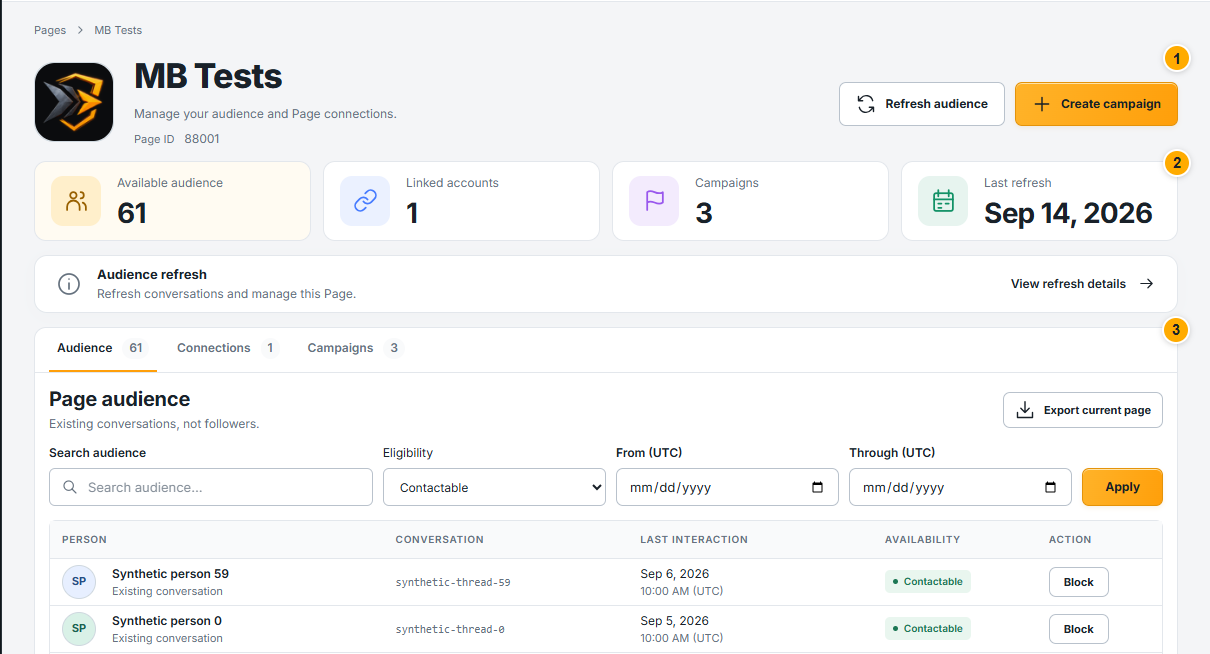 Screenshot from a demo account · Open full size
- 1
Use Open beside the Page. The top summary shows its audience, connections and campaigns.
- 2
Use the Audience, Connections and Campaigns sections to review each area. Available audience means conversations available under the current rules.
- 3
Check the last completed refresh before relying on the count. A partial refresh does not confirm a complete audience fetch.
Expected result
The Page details and its current readiness are clear before you proceed.
Something not working as expected?
- Page missing? Check the correct Facebook account, complete its connection, then synchronize its Pages. Clear search and account filters.
- Several administrators? Review each connection. Selecting administrators later controls which eligible accounts the campaign may use; it does not combine unrelated audiences.