
Activate your subscription
Review the current plan and checkout total, then verify activation in your account.
Before you start
A confirmed Extreme Sender login.
Choose your billing period
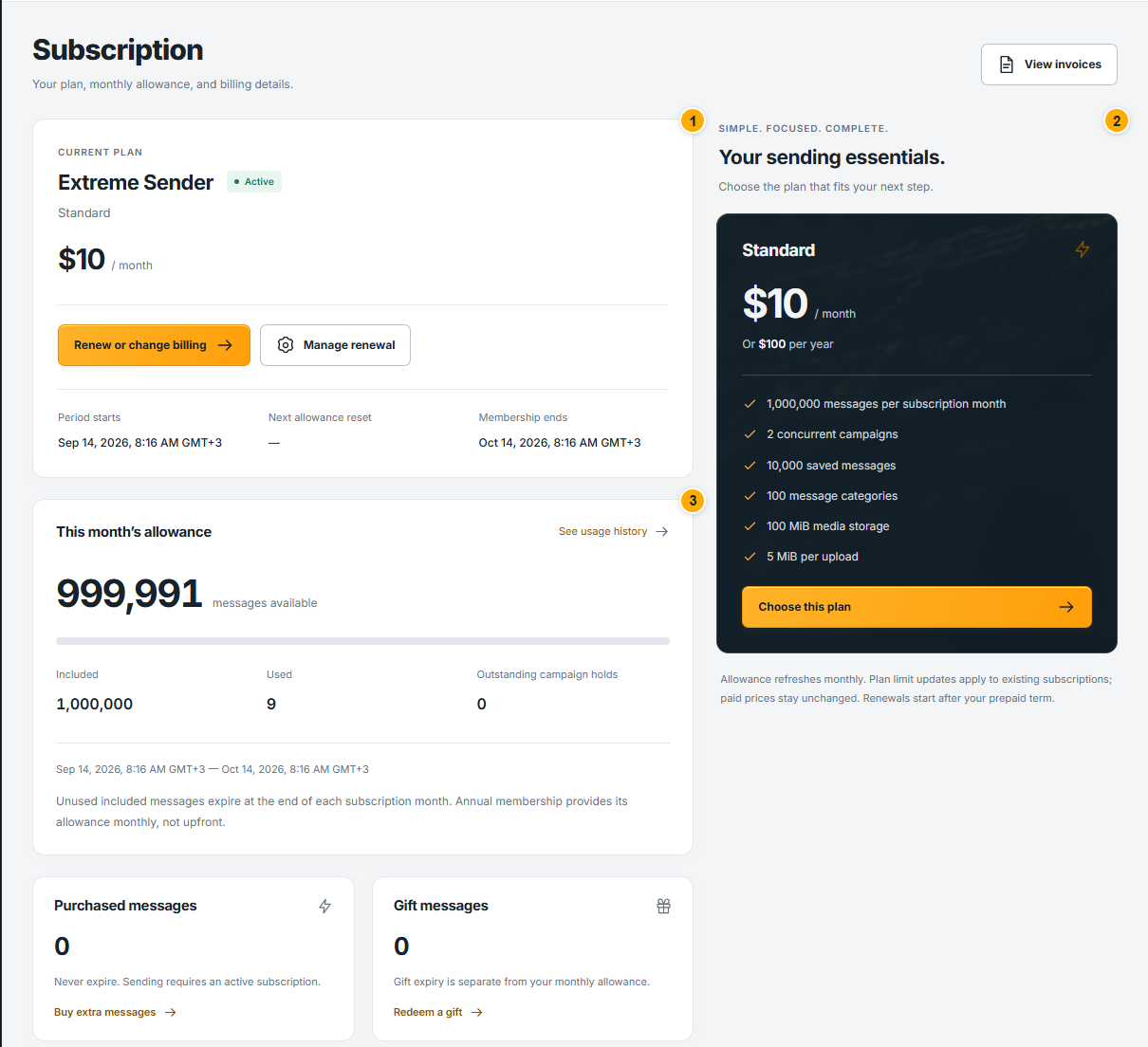 Screenshot from a demo account · Open full size
- 1
Open Subscription. Read the plan price, included messages and renewal dates displayed for your account.
- 2
Choose monthly or annual billing when available. Annual billing pays for the term; included messages still become available by subscription month, not all at once.
- 3
Use the subscription or renewal action to open checkout. Keep the selected period in mind when reviewing the order.
Expected result
The checkout summary shows the selected purchase.
Review and complete checkout
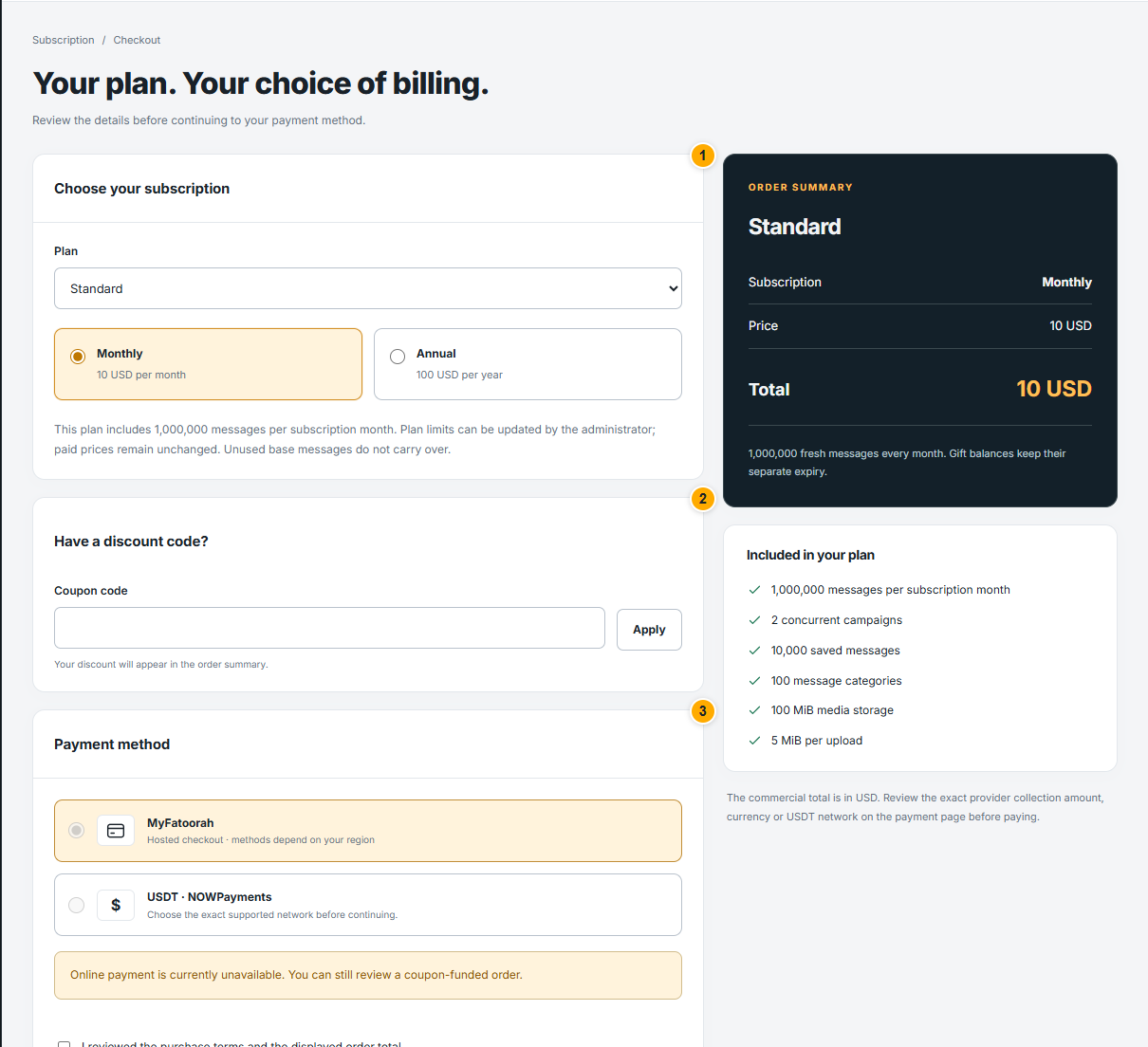 Screenshot from a demo account · Open full size
- 1
Read the order summary, currency and total. If you have a discount code, apply it here and wait for the updated total before paying.
- 2
Confirm the displayed purchase terms, then follow the available payment method. If a fully funded zero-total order is offered, use its specific confirmation action.
- 3
Return to Subscription and Invoices to check the actual status. A bank notification or closing the payment page alone is not proof that the website activated the order.
Expected result
The subscription is active and the purchase has the corresponding confirmed record.
Something not working as expected?
- Payment pending? Check the existing order before making another purchase. If it remains unresolved, send support the order reference, not card or bank-login details.
- Controls are unavailable? Read the account notice: activation, suspension or a temporary service limit may need attention.