
Create an account and verify email
Start at the website, create your login, then confirm that the email address belongs to you.
Before you start
An email inbox you can open and your correct contact details.
Find your starting point
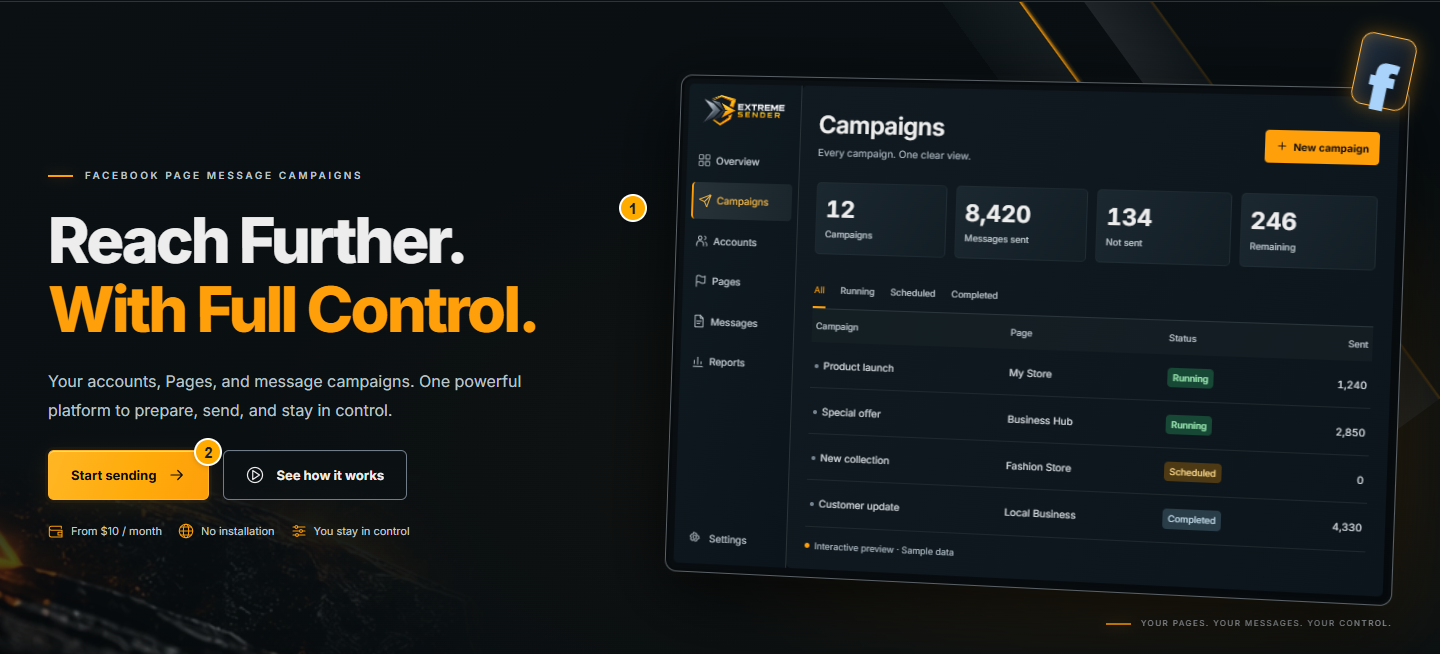 Screenshot from a demo account · Open full size
- 1
Open Extreme Sender. Choose the registration button if you are new; use Log in if you already have an account.
- 2
Choose Arabic or English before you continue. The same account works in both languages.
Expected result
The registration form or sign-in page opens.
Complete the registration form
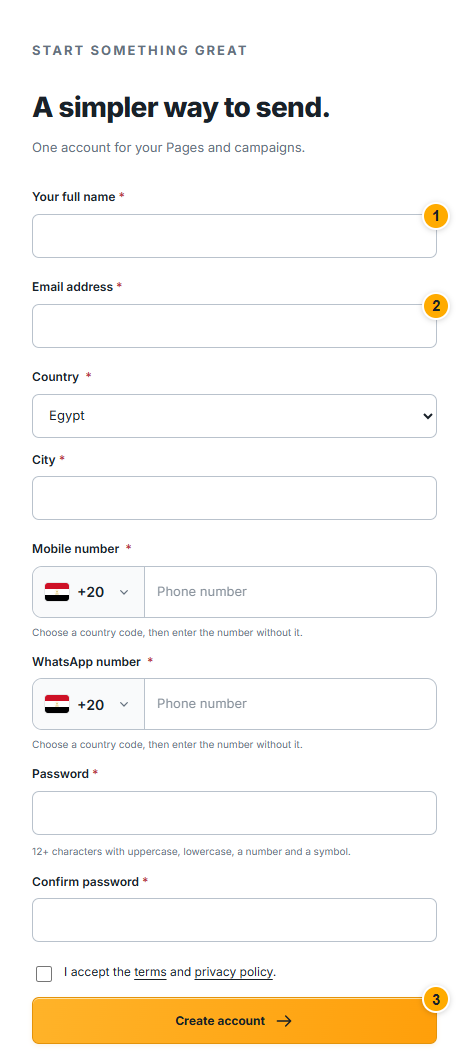 Screenshot from a demo account · Open full size
- 1
Enter your real name and an email you use. Check the spelling: the confirmation message goes to this address.
- 2
Select your country and enter the contact information requested by the form. Create a unique password and repeat it exactly in the confirmation field.
- 3
Read the terms, select the required agreement and submit the form. If a field is highlighted, correct it before submitting again.
Expected result
The website explains the email-confirmation step. Creating a login does not itself activate a paid subscription.
Verify your email and sign in
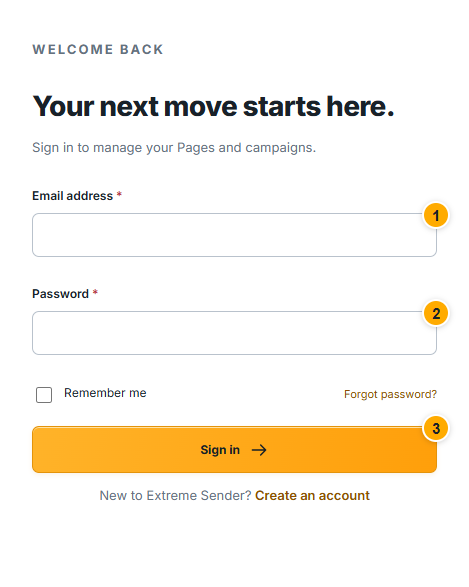 Screenshot from a demo account · Open full size
- 1
Open the message sent by Extreme Sender and follow its confirmation link. Check Spam or Junk if the message is not in your inbox.
- 2
Return to Log in and enter the same email and password. If you enabled two-factor authentication, complete the verification step shown.
- 3
If you cannot remember the password, use Forgot password and follow the email instructions instead of creating a duplicate account.
Expected result
You reach your customer account or the next required setup step.
Something not working as expected?
- No confirmation email? Check the address and spam folder, then use the resend option if it is offered. Wait for its timer rather than repeatedly requesting new links.
- Expired link? Request a new confirmation or password-reset message from the relevant account page. Use the latest message.