
Review your campaign results
Read status, delivery totals and recipient results without confusing delivery with engagement.
Before you start
A submitted or scheduled campaign.
Find the campaign and its state
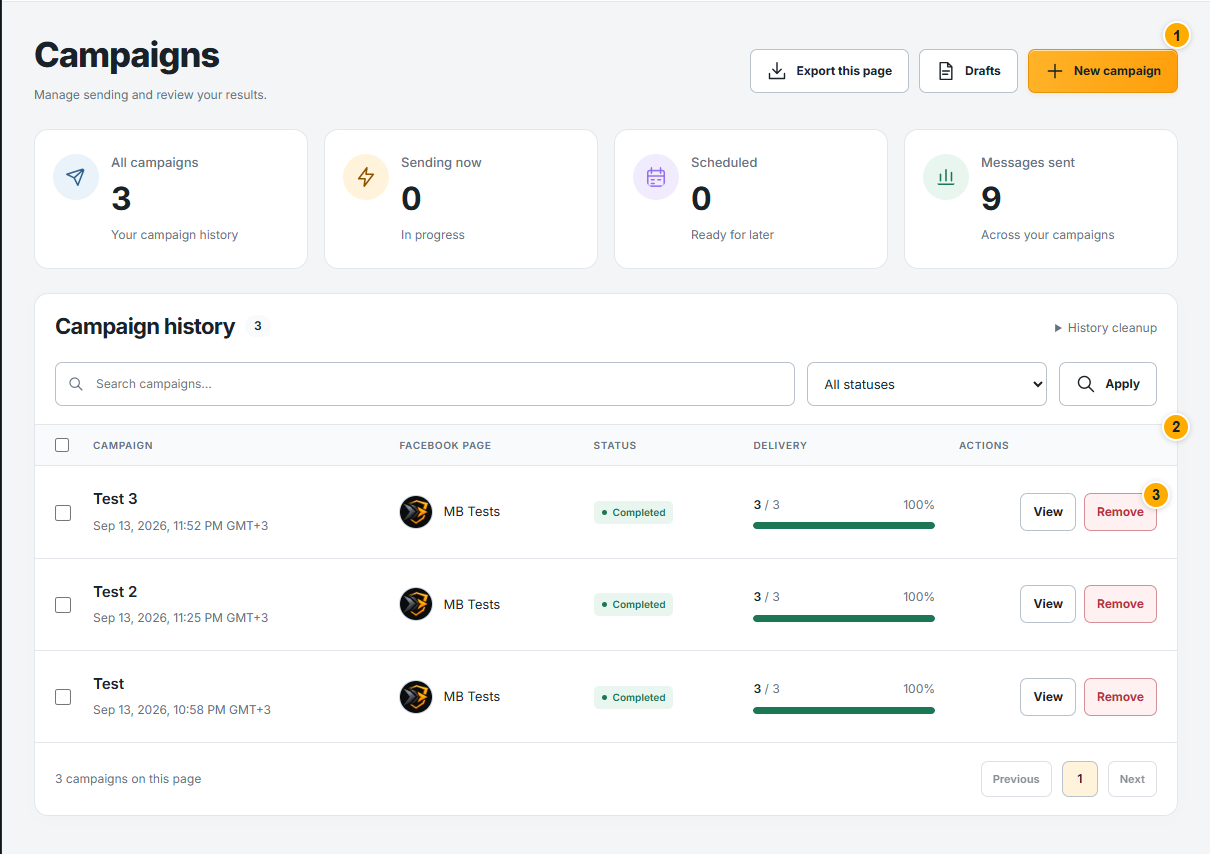 Screenshot from a demo account · Open full size
- 1
Open Campaigns and find the campaign name. Use search or status filters when there are several entries.
- 2
Read the status and delivery column together. Preparing means the audience or work is still being prepared; scheduled means its start time has not arrived.
- 3
Open the individual Page campaign to see its detailed results. A multi-Page group can contain different states for different Pages.
Expected result
You are viewing the correct Page campaign, not only the group summary.
Read counts and recipient outcomes
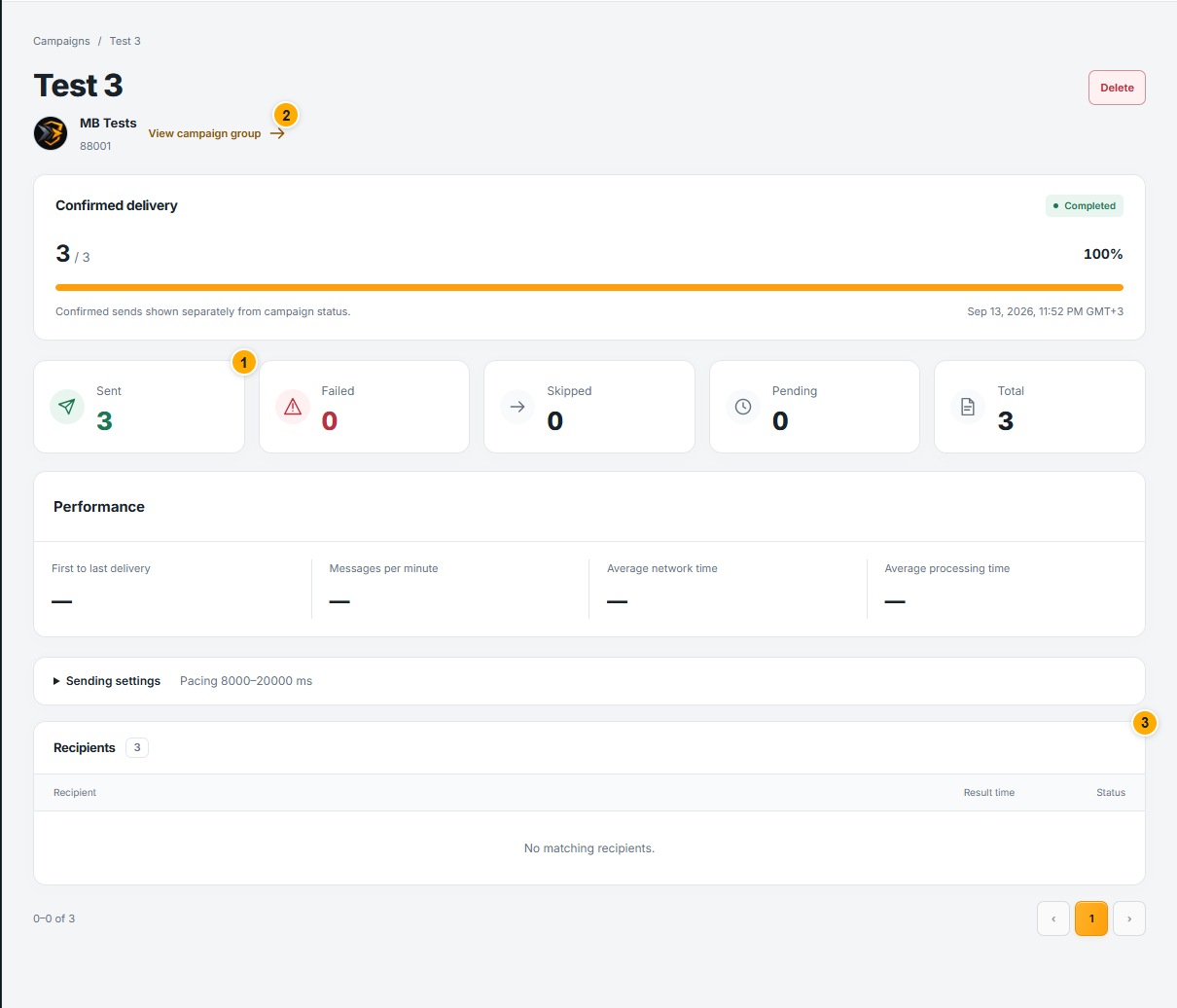 Screenshot from a demo account · Open full size
- 1
Compare sent, failed, skipped and pending counts. Use the recipient list to understand individual results where available.
- 2
Refresh or follow the live state until processing settles. A full progress bar alone should be read with the campaign status.
- 3
For a failure or uncertain result, read its reason before starting another campaign. Keep the campaign reference if you need support.
Expected result
You can distinguish delivered work from pending work and results needing review.
Sent confirms the required sending parts were accepted; it does not mean the recipient read, replied or purchased.
Something not working as expected?
- Numbers change while running? The campaign is still processing. Compare counts after the state settles rather than treating an intermediate view as final.
- Need to pause or stop? Read the campaign-control guide first; these actions cannot recall messages already sent.