
Understand your dashboard
Read your account, campaign and balance summary.
Before you start
Sign in to your own customer account.
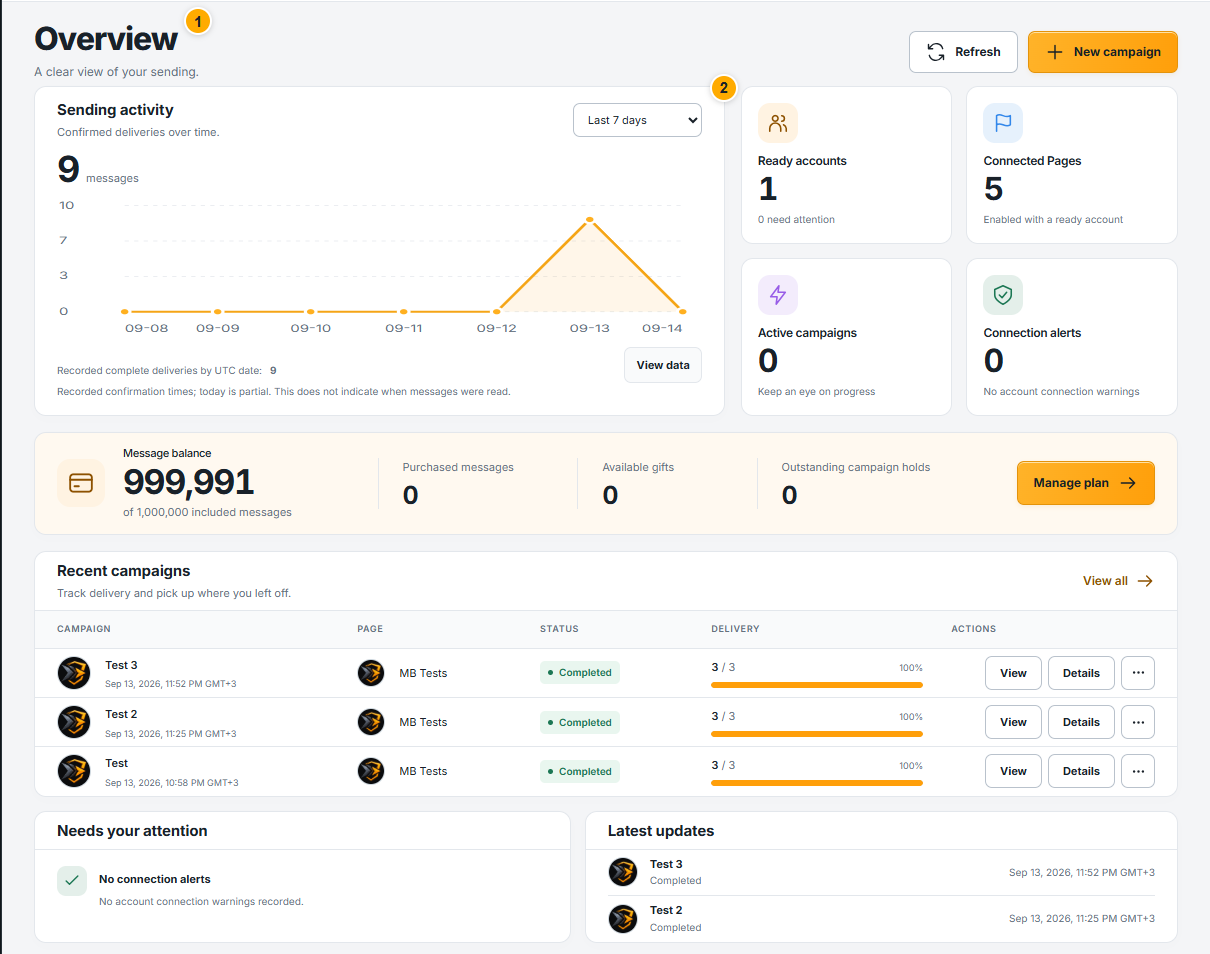 Screenshot from a demo account · Open full size
- 1
Review ready accounts, connected Pages and active campaigns. Open the related area when a connection needs attention.
- 2
Choose the period in Sending activity. View data shows the recorded numbers behind the chart; today can still be incomplete.
- 3
Use Recent campaigns to open results, and Message balance to check what remains. Latest updates summarize recent events.
Expected result
You know where to find current activity and what needs your attention.