
Redeem gifts and use coupons
Check a code and understand what it gives you.
Before you start
Sign in to your own customer account.
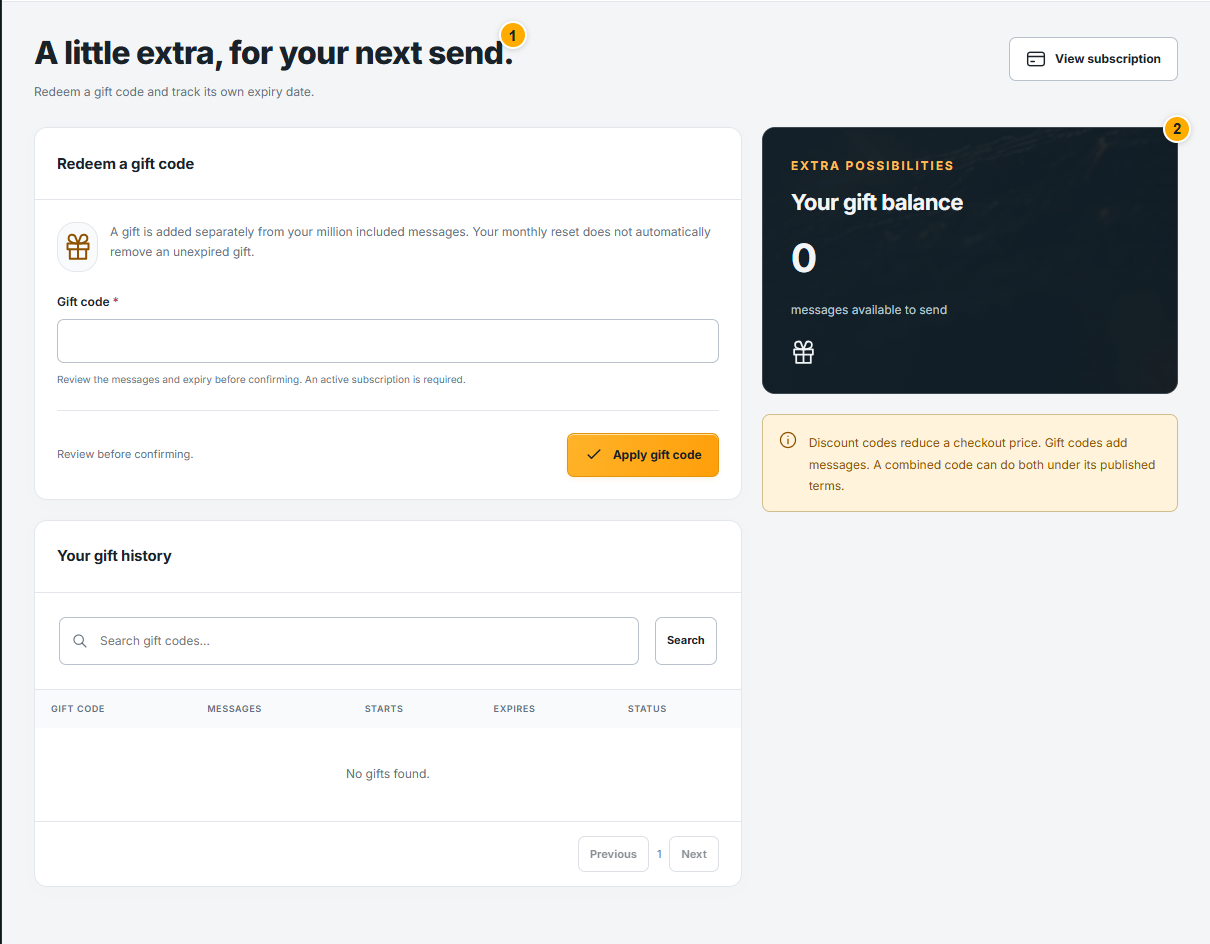 Screenshot from a demo account · Open full size
- 1
Enter your gift code in Gifts & codes. Check its benefit, eligibility, expiry and any usage limit shown before confirming.
- 2
For a purchase discount, apply the coupon in checkout and review the updated order total. A discount code and a points gift are different benefits.
- 3
After a successful redemption, check the receipt and balance. If the code is expired, already used or unavailable, read the message before trying another code.
Expected result
Only a confirmed redemption appears in your account.