
Get useful help from support
Send a clear request and follow the conversation.
Before you start
Sign in to your own customer account.
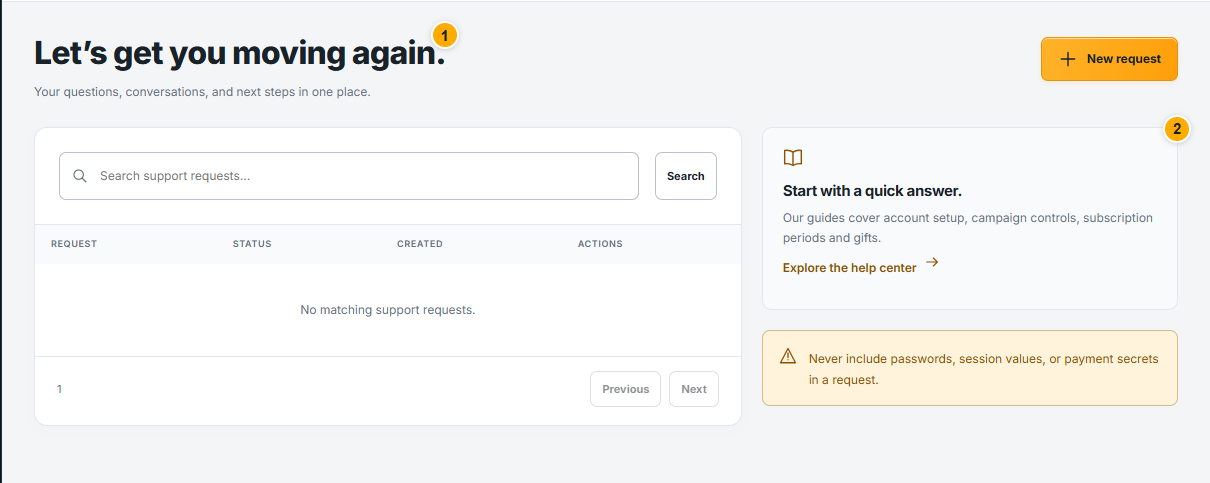 Screenshot from a demo account · Open full size
- 1
Search the help center first, then open a support request if your issue remains. Choose a clear subject describing the affected part.
- 2
Describe what you tried, what you expected and what happened. Include the campaign or order reference and a cropped screenshot of the problem, with secrets removed.
- 3
Open the existing request to read replies and send follow-up information. Keep the same issue in one conversation and check its status.
Expected result
Support has the context needed to investigate your request.